Ranges
Range
The Range object is designed to store various catalogs and rules associated with a client's catalog. It can include:
- Product Catalogs: Both user legal entity-specific and public product catalogs.
- Applicative Rule Catalogs: Catalogs of applicative rules.
- Templates Catalogs: Catalogs of templates.
- Product Rules: Rules specific to products.
The primary goal of the Range object is to gather all elements of a client's catalog into a single, organized
structure.
Dashboard
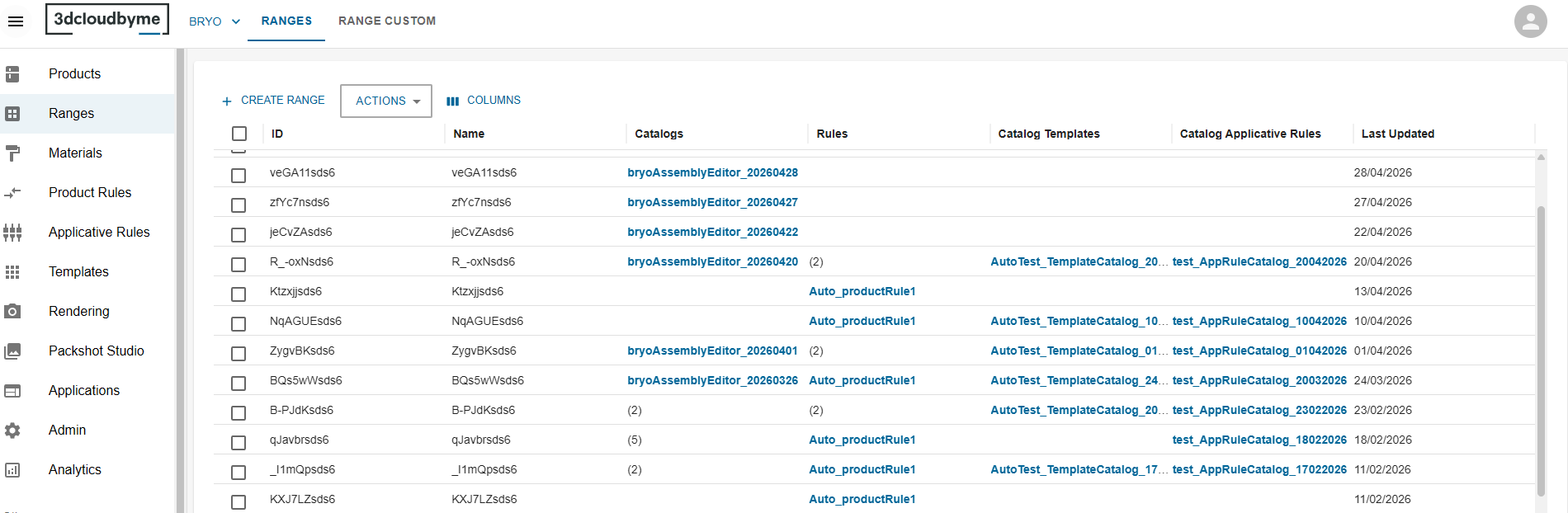
In this dashboard, we list the ranges that have been created inside the user legal entity.
In order to create a new range, click on the create button at the top left of the datagrid.
To edit click on a row.
Create or Edit

First you need to give an id, a name and a brand to your range and submit.
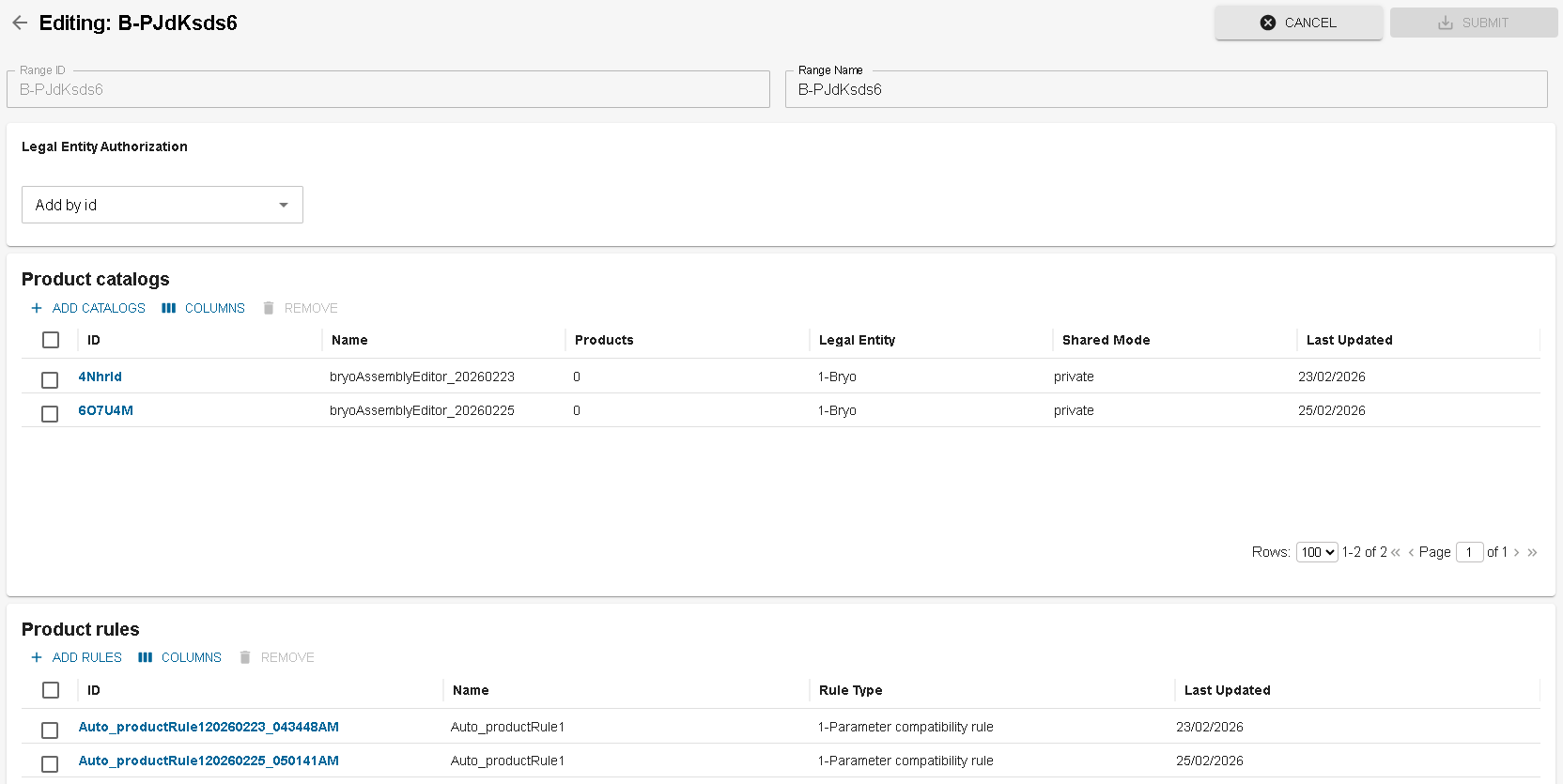
Then you can link the different elements to the range.
Delete Range
You can delete one or multiple ranges from the dashboard. For that you have to select the range(s) that needs to be deleted and click on DELETE option from Actions button.
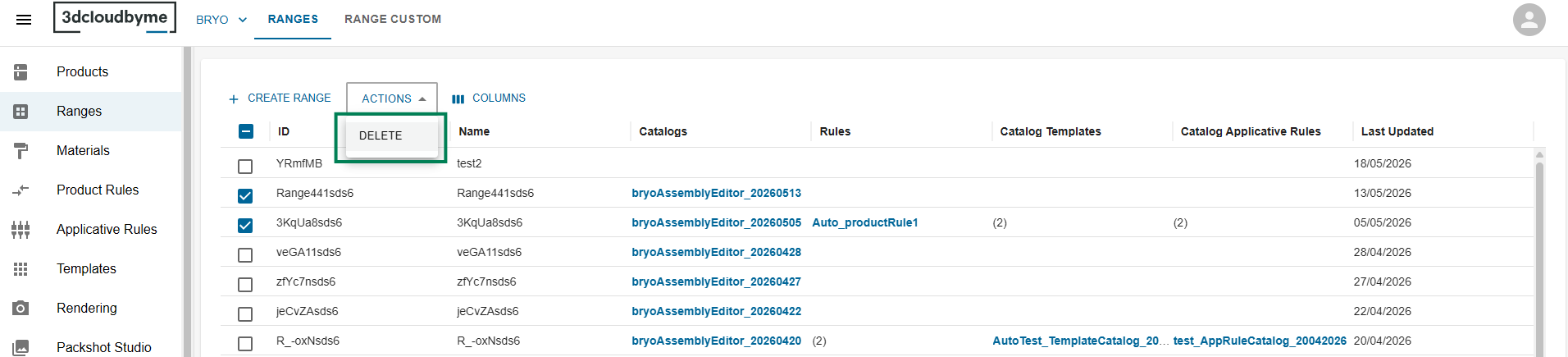
Once you click on DELETE button, a delete confirmation popup will be opened. The popup contains information about the items to be deleted.
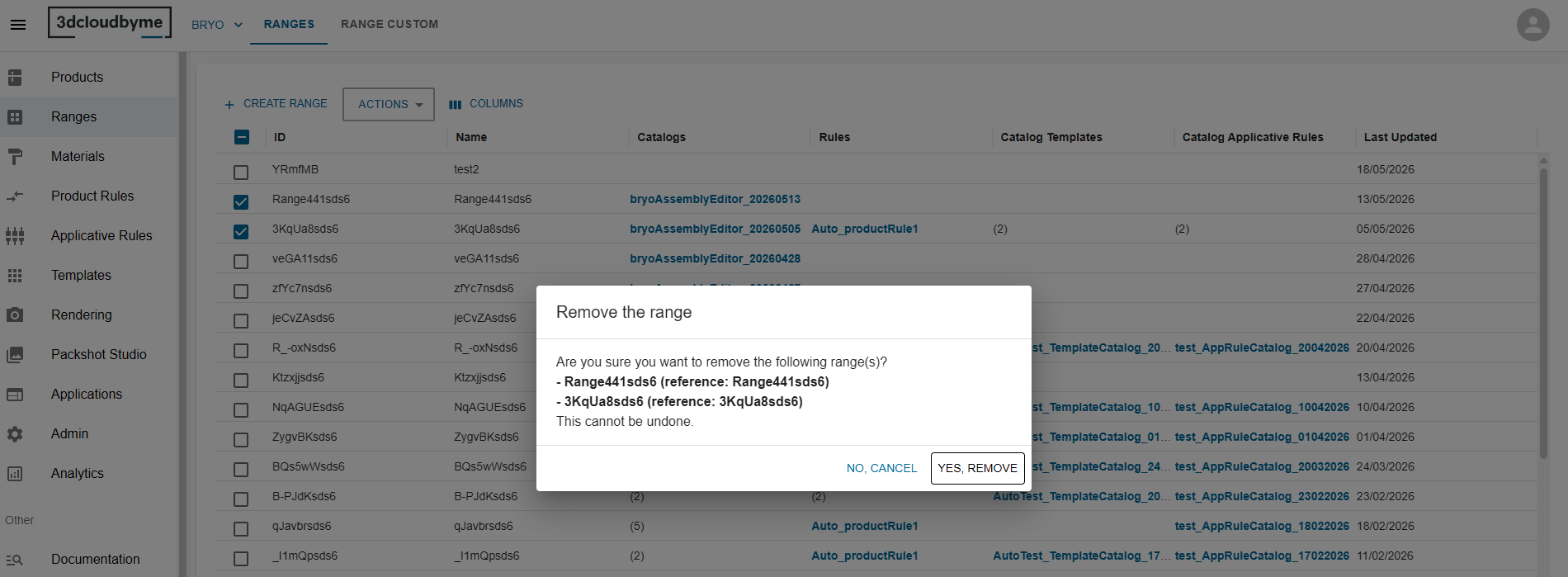
You can confirm the deletion by clicking on YES, REMOVE button.
Share range with other legals
In order to create a Range Custom from a range within another legal entity, this range need to authorize your legal entity to use the range.
To do that, in the range we will authorize the legal entity :

The select helper give you quick access to share within the legal entity you already have access to. But If you know the legal entity id you can add it manually.
Limitations
- Unique Product Assignment: Products can be assigned to only one
Range. - Catalog Product Availability: A catalog product cannot be assigned to a
Rangeif it is already attached to an application distribution or anotherRange.
By adhering to these limitations, the Range object ensures a consistent and non-redundant catalog structure.